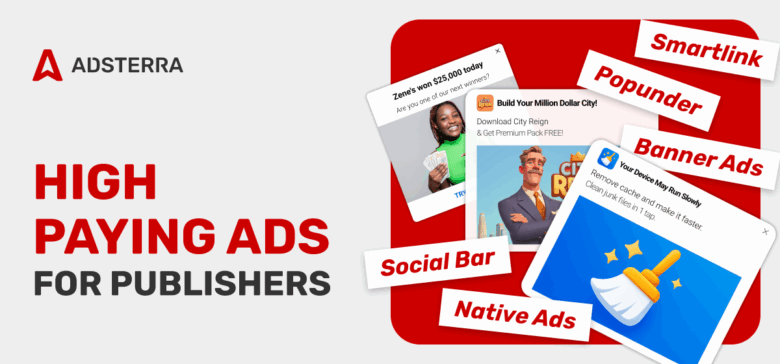
To maximize ad revenues in 2026-2027, publishers should focus on high-impact, user-friendly, and mobile-first ads that balance viewability with user experience. This guide covers the best ad formats for publishers looking to diversify their income sources. Time is money, so this will be a genuinely short guide, providing basic tips and pointing to more in-depth tutorials.
What are monetization ad formats for publishers?
An ‘ad format’ is a piece of code that you take from an advertising network to place on a website, blog, or landing page. The code then starts displaying ads that match this publisher’s niche and audience. That’s how digital advertising works.
The most common digital ad units are search, display, native, and video ads. Display ads are often favored by brands and advertisers who believe larger formats deliver greater impact. Search ads are not placed on websites; they appear in search results on Google, Bing, Baidu, etc.
Every ad format comes with different trade-offs in terms of user experience, advertiser value, and publisher revenue.
Which are the most profitable publisher ad formats?
Your goal as a publisher is to pick the ad format that delivers strong payouts, while aligning with your website. So let’s list the highest-paying ad units with examples and see HOW you can monetize them.
Essential display ad formats that every publisher should be using to see what works best for them:
- Popunder
- Social Bar
- Interstitial
- Native Advertising
- Display Banner
- Smartlink (Direct Link)
Popunder (also: Pop Under, Clickunder)
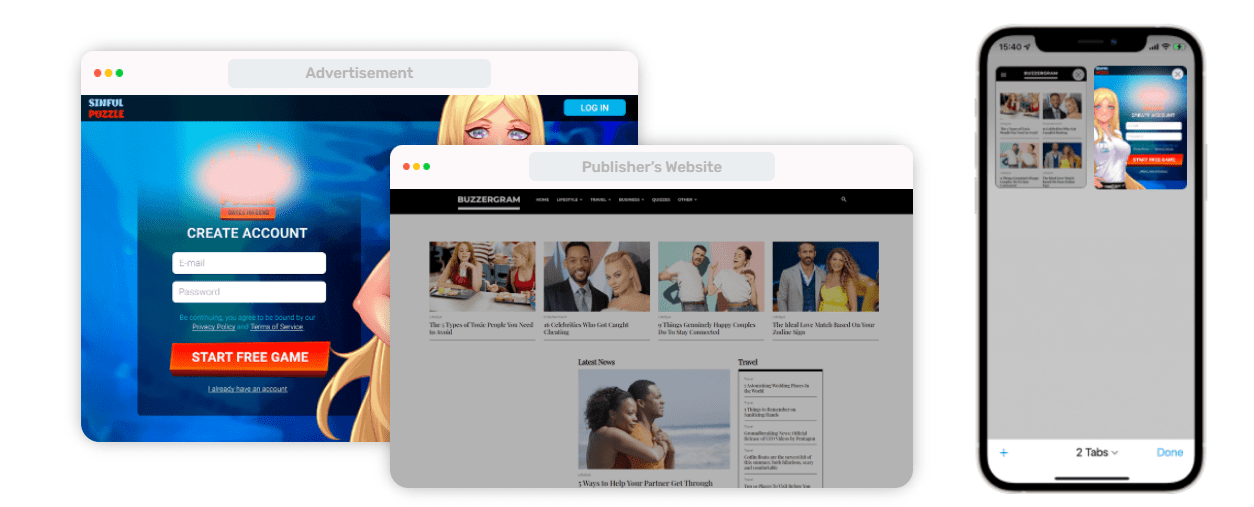
Popunder ads open a new tab or window behind the active one, capturing attention after the main session. Imagine a full-page advertisement that does not occupy any space on your website. You put the code on your website, and when a user clicks or hovers over any area of the webpage, a new tab will open in their browser.
👍 Popunder advantages
- It doesn’t occupy the website’s space
- Ads don’t overlap your web content
- Advertisers launch loads of campaigns with Pops
- Popunders deliver the highest CPM rates, up to $47 for specific geos and devices (as of 2026).
- The format is user-friendly as it doesn’t intrude on the reader’s flow
- Pop ads are the top choice for multimedia-content websites
⛔️ Disadvantages: Popunders are used for desktop traffic, though they work on Android devices. But if you drive massive iOS traffic, this won’t be the best choice (scroll to Social Bar). Also, you should not place more than one Popunder per page, as it will flood users with ads, deterring them from your website.
Become a master publisher running Popunder ads like those who earned ~$4,000 weekly. Read this guide.
Push Ads
Push ads deliver short, real-time messages directly to a user’s device or browser, covering all types of traffic mobile and desktop users. Push ads deliver 2-8% CTRs, outperforming banners or native in short-funnel campaigns. In-Page Push is even more effective for web monetization, delivering CTRs of 15% to 33% (according to Adsterra’s benchmarks). Tiny and OS-adaptive widgets are best for digital publishers with lots of mobile traffic.
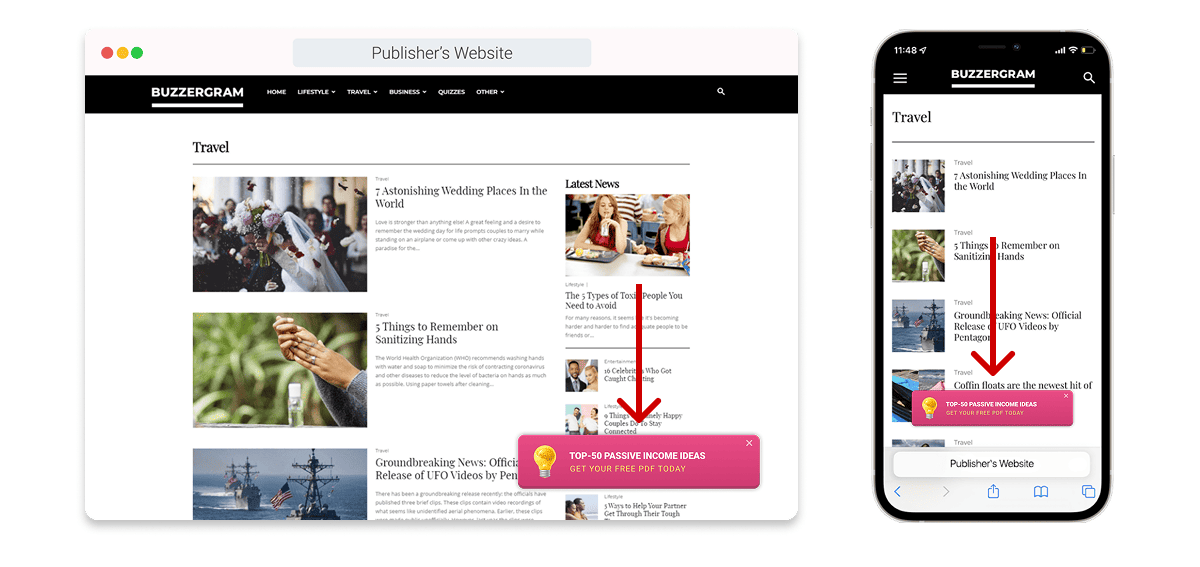
In-Page units advantages:
- No subscription required
- High viewability and better user experience compared to web push
- Great choice for smaller screens, in-page push ads work great on Android and iOS
- Ads can contain interactive elements to increase engagement
Social Bar
By 2026, almost 87% of Adsterra publishers have tried Social Bar to get passive ad income. Social Bar is an advanced display+push format available only at Adsterra (don’t confuse it with social ads). It beats traditional web push notifications because it lets you show ads to all your users (100% of traffic) without subscriptions.
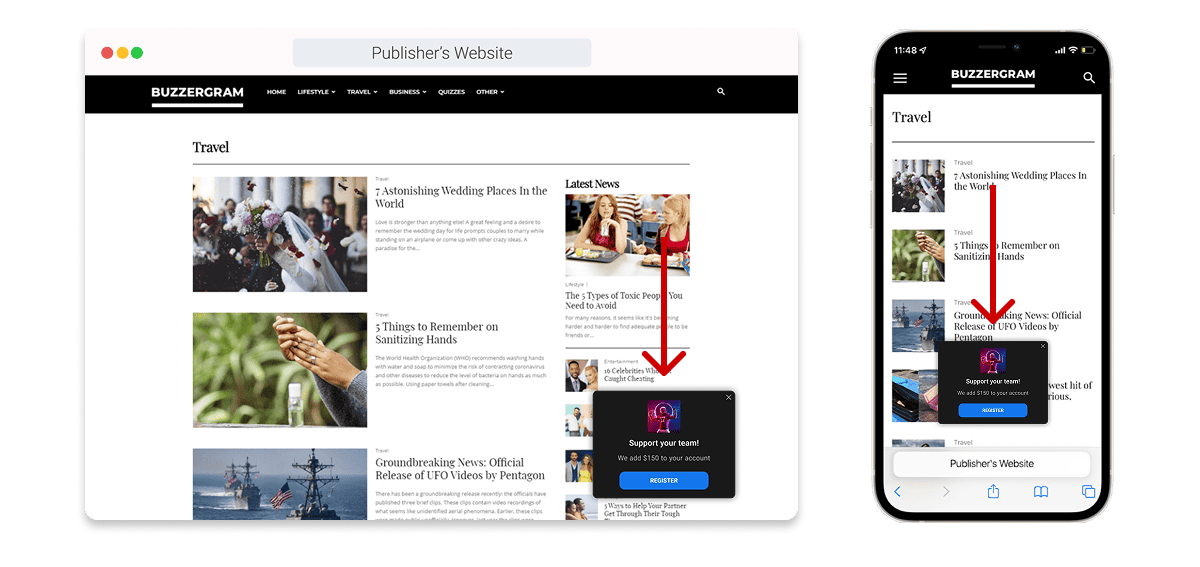
You generate Social Bar with a single line of code, but it displays various OS-friendly ads in turn: icons, animated push notifications, chat heads, and more. Users will see only one ad at a time, so the layout won’t be cluttered.
👍 Social Bar advantages
- 100% traffic monetization: Social Bar is ultra-friendly and runs on all OS
- Social Bar engages people up to 30X better, sending you good CPM rates (cost per mille / 1000 impressions)
- You attract high-paying advertisers from Tier 1 and Tier 2
- Ads bypass Ad Blockers, saving you more approved ad impressions and money
- You can relocate ads by asking your manager
⛔️ Main precautions: We highly recommend not putting more than one Social Bar code on a separate web page. Users might get tired of seeing multiple interactive ads at a time.
Make sure you apply these best practices of selling Social Bar traffic and getting higher CPMs.
Interstitial
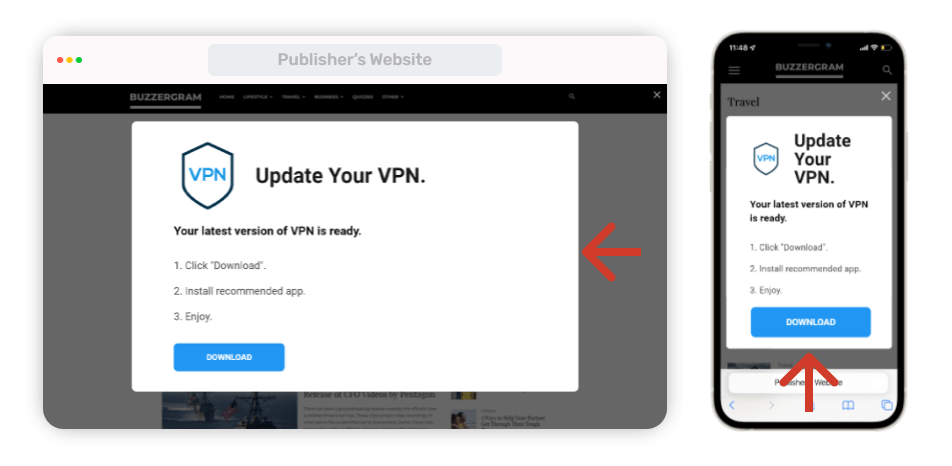
Interstitial ads are full-screen ad units that take over the entire screen during natural transition points in mobile apps or websites. The Interstitial ad format’s style is a full-screen overlay with a clear CTA that gains immediate attention. Users either need to click on a “close” button to continue with your website content or follow the advertising link.
Google uses its in-house Interstitial on thousands of websites, so it’s one of the most usable monetization ad formats for publishers. Users easily close the ad or follow the link. You get paid for ad views, clicks, and conversions.
👍 Advantages of Interstitial ads
- More users click on ad links and complete conversions, so you will generate a higher revenue
- Ads don’t require a fixed space on the website
- The format is on top of demand (Google uses the same ads, and they really rock)
⛔️ Main disadvantages
- If you run a movie streaming website or provide real-time content (sports, fights, TV series), ads may interrupt users and annoy them.
- You should be careful and test Interstitials first to ensure the sensitive audience likes them.
- If users seldom visit pages other than the homepage, you might not see high profits from interstitials.
Interstitials come with the Social Bar unit, and you won’t find them on your dashboard as a single unit. Please drop us a line in the live chat, and we will provide you with the code.
Native Ads
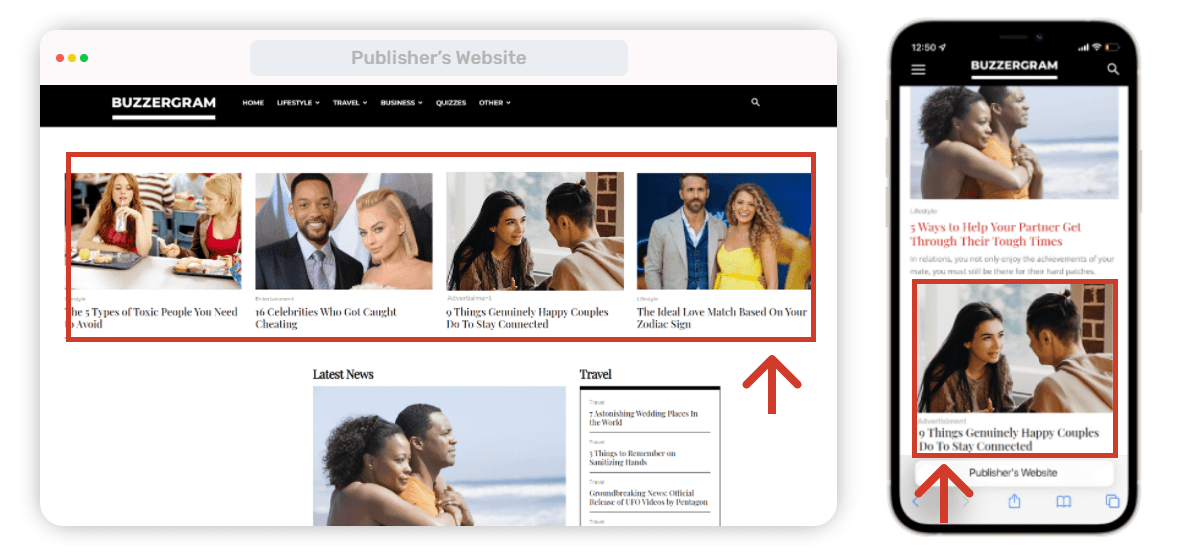
Native Banner ads usually appear as a block of images with catchy descriptions. Native ads are designed to blend more closely with surrounding content and are often labeled as promoted or sponsored content. Publishers love this format as it can be customized with the site’s content (fonts, headings, layouts, etc.)
Native ads typically account for 15-20% of advertising budgets. Many publishers choose them as an additional source of income.
👍 Native Banners’ advantages
- They melt into content, teasing users to click and prompt higher conversion rates
- Native ads look credible, and people consume them as part of the editorial content
- They’re pretty clickbait, as descriptions and headings are usually catchy and triggering
- Adsterra algorithms select visuals that mostly match your visitors’ interests
- You can customize every single ad unit according to your website design and structure
⛔️ Precautions
- Keep visuals native: avoid fonts or colors that differ from your website layout
- Placing ads to the footer may return zero CPM (users don’t usually scroll that far)
- Overusing advertising is always a drawback, so don’t put several similar ad blocks on one page.
See all expert tips for Native Ad Placement in this expert guide.
The main secret of Native advertising is relevance. Feel free to reach out to your manager to discuss adjusting different ad formats to better align with your audience’s interests.
Display Banner Ads
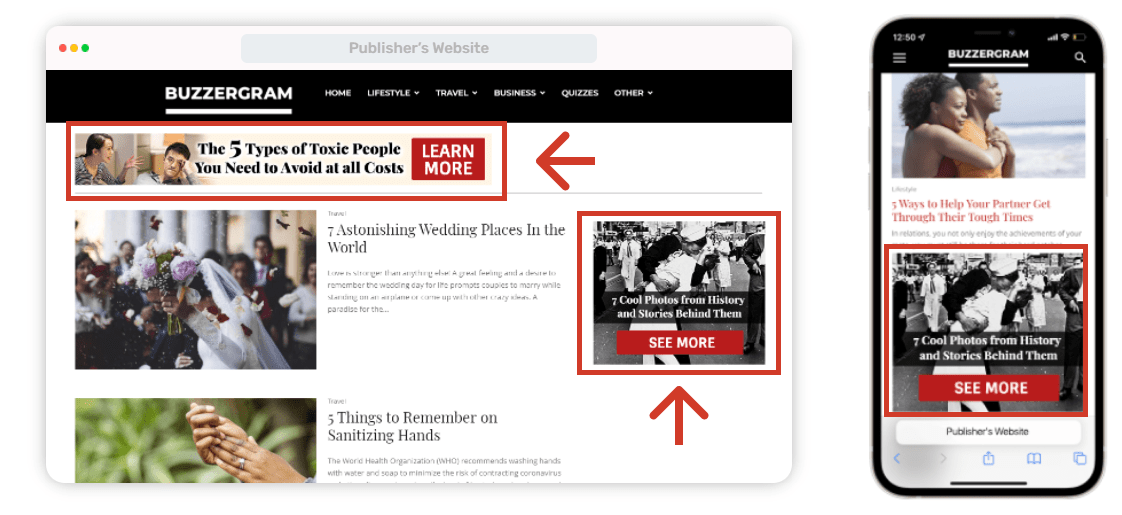
Display or static banners are images of various sizes that website owners can add to the header, footer, sidebar, or other parts of a web page. You can easily generate code for the main banner types: 160×300, 160×600, medium rectangle 300×250, mobile 320×50, and leaderboards 728×90 and 468×60.
Banner ads are cost-effective for reaching a wide audience at the top of the funnel. The global average click-through rate for display banner ads is only about 0.06%. Some CPM publisher networks like Adsterra deliver 0,1% CTRs from African countries (specifically, Nigeria, Kenya, Ghana) and 0,25% CTRs from SEA countries (Indonesia, Vietnam, Cambodia, etc.)
The average CPM for banner ads ranges from $2 to $10. It all depends on the geo (tier countries) and the demand. Adsterra’s CPM for US desktop traffic can range from $2.5 to $3.5 during the off-season.
👍 Advantages of display banners
- Great results on websites with massive traffic
- Amazing CPMs if you don’t limit ad types (non-mainstream content specifically)
- Thanks to multiple sizes, any publisher can find a suitable placement
- Many advertisers from the wealthiest industries (iGaming, Software, E-commerce).
⛔️ Possible pitfalls
- Banner ads are too classic; you need to place them in a visible place so users will definitely notice them.
- The audience of some website categories, like personal journalists’ blogs and scientific magazines, may react negatively.
- As with native ads, when placed to the footer, a banner may yield a low CPM if your audience never scrolls to the bottom of the articles.
Want to know all the strengths and weaknesses of banners to make them stream you money? Dive into this guide to Banner Ad Format for Publishers.
How to deal with a short attention span? Don’t dare to experiment with different combinations. Make your ads visible, dynamic, and static in various areas of the website, but not overloaded or intrusive. The perfect combo = the perfect result.
Smartlink (earn from app traffic and social media traffic)
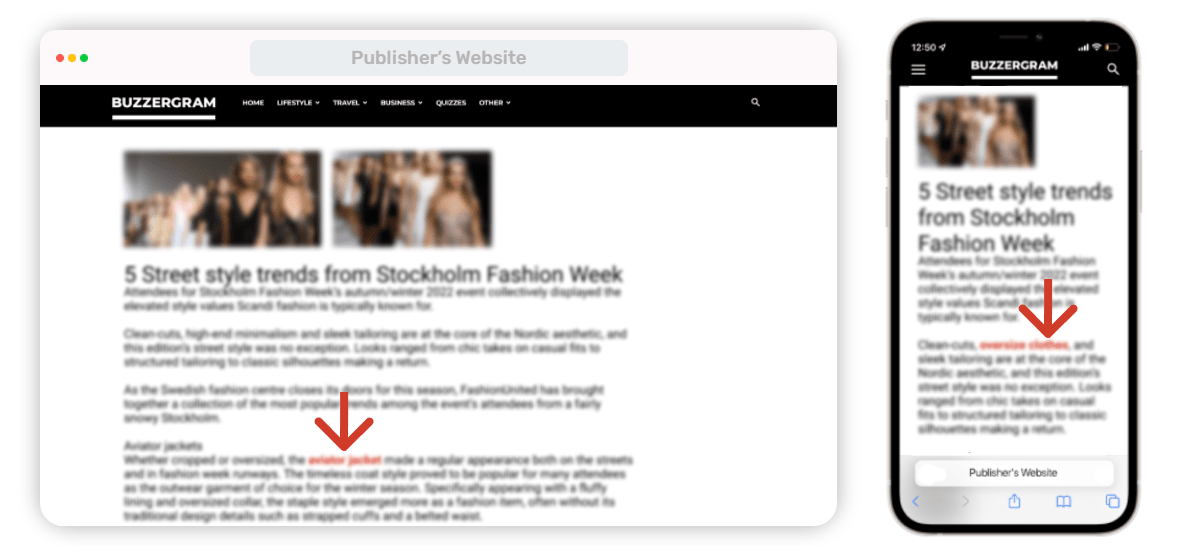
Smartlink (also: Direct Link) is the easiest-to-use monetization ad format. It’s an URL you get from an ad network and place anywhere on your website (e.g., piece of text content or an image). When a user clicks on the Link, our algorithm gets their GEO, device, connection type, preferences…and shows the most relevant ad.
How about getting ad earnings without a website? The Link is still your No1 choice because you can place it inside a mobile app (APK file) or use it to lead traffic from social media accounts: Facebook, TikTok, YouTube, etc.
👍 Smartlink’s advantages
- It suits any website, even those that don’t have any ad space.
- You simply attach the Link to any web element and monetize from those users who click on it.
- You can earn with no website at all by putting the Link in your mobile app (APK file).
- Smartlink is the best choice for social traffic monetization (Facebook, TikTok, Instagram, etc.).
- High relevance of ad offers: smart algorithms match your readers’ preferences with ads.
⛔️ Main limitations
- If you’re running a blog that strictly covers one topic like parenthood, it’ll be pretty hard to match your audience’s preferences and send only relevant ads.
- Avoid placing Smartlink on navigation or “purchase confirmation” buttons, as it may interrupt users from making the core action.
Our Smartlink Monetization 101 will put you on the fast track so you can drive extra income with web, mobile, or social traffic.
Smartlink is popular for Facebook traffic, but since Facebook often bans accounts, many top social publishers use extra landing pages and URL shorteners to reduce risk. Creating a Smartlink is quick and easy, so don’t hesitate to start.
Where do you take monetization ad formats?
Beginner publishers often wonder: Where can I find tools to implement various ad formats on my publishing site? Once you set your mind to monetization, your next step is to practice and start making some cash on traffic. First, find an advertising network, serving publisher ad formats you like. Register as a publisher and generate your first ad script. If you look for fast website approval and real-time revenue control options, try Adsterra, one of the best AdSense alternatives.
If you feel uncertain about what to do, just sign up and reach out to our support team; we’re here for you 24/7 (see the live chat icon in the lower corner of the screen). The Adsterra support team is one of our key advantages that makes us a reliable partner for over 45k+ publishers worldwide. Adsterra cares about publishers’ businesses regardless of their size and traffic volume. So, you can be sure to get:
- Automated payouts with clear dates and no hidden cuts
- Safe ads and anti-malware protection for your inventory
- Adsterra CPM rates are high and stable
- Caring and expert managers are always ready to help 🤗
- +5% extra income with the Referral Program
- 100% fill rate with quality offers
- High-paying advertisers from all tiers
- Exclusive bonuses and promo codes from tech and marketing partners.
Best practices for placing ads
Publishers can maximize revenue by using diverse ad formats, including high-impact Interstitials, rewarded videos, native ads, and standard display static images. Experimenting with different ad layouts and ad sizes to balance revenue and user experience. Diversifying beyond programmatic advertising auctions and ad exchanges can stabilize long-term revenue.
Pitfalls to avoid
We’ve also accumulated some of the most common mistakes in display advertising you
- Avoid overcrowding: Don’t overload your site with too many placements; it ruins UX and drops your advertising metrics.
- Follow ad placement guidelines: Make sure placements aren’t intrusive or violating platform rules (e.g. Google policies).
- Test before scaling: Run A/B tests on different screens to see what performs best for your traffic, instead of blindly enabling everything.
- Respect frequency caps: Websites with 70% or more new visitors can show ads more frequently, while those with retuning visitors need to balance ad frequency. It’s recommended to ask your manager to advise on the best frequency.
- Use responsive ads that look good across devices — mobile, tablet, desktop — to maximize engagement.
- Track performance: Segment your stats to see which formats actually earn and which just bloat the page. Check CPM and Revenue compared to total impressions.
- Be mindful of loading speed: Heavy scripts can slow your site, hurting both SEO and profits.
- Adapt to audience behavior: Some formats might work well in certain GEOs or niches but fail in others — optimize accordingly.
What to do next?
Next, start sending your traffic to an advertising platform and generate income. Choose Popunder if you want to display advertisements outside the main website. Pick Social Bar if your users prefer smaller notifications. Or, select any size of Banner ads to try an evergreen format.
Don’t forget about timely optimization: it is very important to avoid banner blindness for your success. Combo formats are an excellent choice for those who want to get the most. Need more theory? Read about placing the most suitable ad format on your website.
Digital advertising formats FAQs
What’s an advertising format on a publisher’s site?
Digital ad formats are standardized units of online advertising that define how an ad looks, behaves, and is delivered on a website or in an app. Each monetization ad format comes with different trade-offs in terms of user experience, advertiser value, and publisher revenue.
What are the most effective ad formats for online publishers?
Native ads, In-Page Push ads, Popunders, Social Bar ads, and well-placed display ads tend to have the best revenue potential because they provide a good balance between visibility, engagement, and usability for desktop and mobile users.
What are website video ads?
Video ads are dynamic, motion-based scenes that deliver a message through audio-visual storytelling. Video ads are often best for brands with storytelling or demo needs, targeting Gen Z, mobile users, or OTT viewers. Website owners who attract sports fans, gamers, and younger audiences refer to this type of monetization. Video ad formats have 27x higher CTR than static banner ads.
How can publishers optimize ad formats for better user engagement?
Publishers can increase engagement through non-disruptive ad placement, native ad-content, load time optimization, by testing publisher ad formats, their combos and layouts, and keeping the ads relevant to audience interest.
What are the most used video ads?
Vertical videos often achieve high viewability, directly increasing revenue. Out-stream video ads play automatically in a mini-player within content or as a user scrolls, allowing publishers without video content to earn high video ad rates. In-stream video ads play within an existing video player, resulting in the highest completion rates.
What are trending ad types?
Rich media ads are highly engaging while retaining similar affordability and scale to static web ad formats. Emerging digital ad formats like Half-Screen Ads and Superflex are gaining traction due to their high visibility and engagement rates (CTR and CR). Content discovery widgets drive higher engagement than banners by appearing as relevant suggestions. Social Bar is a leader in click-through rates (up to 33%), and is especially helpful when you want to add one more revenue stream.
What ad formats offer the best mobile experience for publishers?
The following ad formats contribute to the best mobile experience: natural-looking Native Ads, laconic Smartlinks, In-Page Push ads, and responsive Display Ads. This is because these web ad formats work perfectly on small screens without interfering with the consumption of the content.
How display advertising differ from search advertising?
Search advertising is often considered the cleanest and most straightforward ad format, triggered by user intent expressed through keywords. People see relevant ad message in their search results. However, Google and Bing can’t fulfill advertisers’ demand.